Skip to content
WaskiZone
ServicesProjectsEduManageAboutBook demo

Start with the right conversation

Build smarter. Secure better. Decide with data.

Tell us what your organization is trying to improve, launch, or understand.

Book a consultation
WaskiZone

Technology company building practical software, security, and data solutions for schools and growing organizations.

support@waskizone.comPhone/WhatsApp: 0533351767Ghana

Company

AboutServicesProjectsEduManage Sales OpportunityBook a ConsultationContact

Capabilities

Software DevelopmentCybersecurityData Analysis

Product & Trust

EduManageSchool Management System GhanaAuthorized Security Policy
© 2026 WaskiZone. All rights reserved.PrivacyTermsAuthorized Security
WaskiZone

EduManage by WaskiZone

School management software for Ghanaian basic schools, from Creche to JHS 3.

EduManage is a complete school management platform for academics, finance, transport, communication, staff operations, and parent engagement in one secure system.

Book an EduManage demoSee EduManage in action
EduManageBook DemoPublic Demo

Request Demo

Book a guided walkthrough for proprietors, headteachers, admins, and finance staff.

Book guided demo

Discuss Deployment

Share your learner population, operational needs, and onboarding requirements with WaskiZone.

Enquire about EduManage

View Public Demo

Open the public demo environment for safe exploration using demo data only.

Open public demo

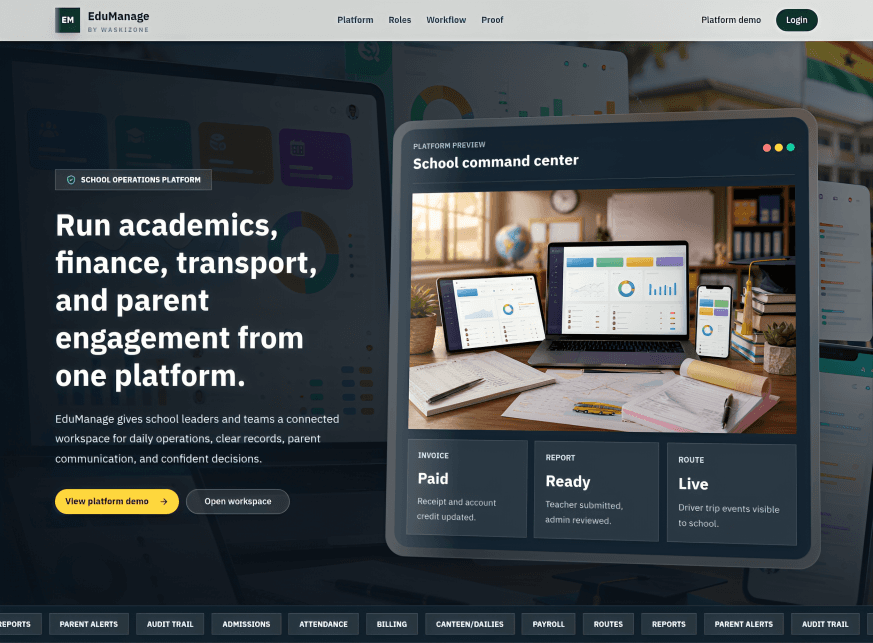
Demo preview

See the school operations workspace schools can explore.

The public EduManage demo is the correct public environment for presentations and exploration. Schools should use demo data only for evaluation, then onboard through WaskiZone before go-live.
Book guided demoOpen public demo
EduManage public demo dashboard
Dashboard command centerStudent records and admissionsFees, receipts, arrears, and reportsAttendance, assignments, exams, and report cardsParent portal and school communicationTransport, driver workspace, canteen/dailies, and payroll

Product tour

Key EduManage workspaces schools can review during demo.

These screens help school owners and staff understand how EduManage connects daily academic, finance, parent, and transport operations.

Book product tour
EduManage dashboard command center

Dashboard

A command-center view for school operations, users, records, and daily follow-up.

One organized school workspace

Built around real Ghanaian basic school operations.

EduManage helps schools move from paper, Excel, and scattered WhatsApp processes into one connected platform for proprietors, headteachers, administrators, accountants, teachers, parents, students, drivers, and platform support.

School admins

Control admissions, students, parents, staff, classes, school settings, imports, permissions, and audit history.

Teachers

Work with assigned classes and subjects, attendance, assignments, resources, report cards, and class workflows.

Parents

Access linked children, finance balances, receipts, school updates, communication, and academic information.

Accountants

Manage fee structures, invoices, payments, arrears, receipts, credits, canteen/dailies, payroll, reports, and audit trails.

Ready for deployment planning

EduManage is deployed and ready for guided school onboarding. Schools can request a demo, discuss operational and commercial requirements, and prepare records before go-live.

Start school onboarding

Onboarding

A guided path from demo to real school operations.

WaskiZone helps the school move carefully from evaluation into requirements review, setup, data import, user access, training, and go-live.

Start onboarding
01

Demo and fit check

WaskiZone walks the school team through the public demo and confirms the roles, departments, and workflows that matter first.

02

Data preparation

The school prepares student, parent, staff, class, stream, fee, and transport records for review before import.

03

Setup and training

WaskiZone configures the school workspace, imports reviewed data, assigns access, and trains the first users.

04

Commercial fit and rollout

WaskiZone reviews the learner population and required capabilities with the school before confirming onboarding and rollout.

Data

Records to prepare before import

  • Student, parent, and staff lists
  • Classes, streams, subjects, and fee structures
  • Opening balances, arrears, and receipt workflow notes
  • Transport routes, buses, drivers, and student assignments where applicable

Features

Academics, finance, communication, transport, and roles in one system.

Student, parent, staff, and school records

Admissions and student onboarding

Classes, streams, subjects, timetable, attendance, assignments, and resources

Exams, marks, grading, report cards, and report publishing

Billing, fees, invoices, receipts, arrears, account credits, and payment allocation

Canteen/dailies collection with homeroom and accountant workflow

Bank/cash setup, income, expenses, ledger entries, finance reports, and audit trail

Staff attendance and payroll

Transport setup with buses, routes, drivers, student assignments, trip events, and driver workspace

Role-based portals for admins, teachers, accountants, parents, students, and drivers

Security and privacy

Designed with role boundaries and school-scoped records.

EduManage includes controls schools can understand and operate without making unsupported certification claims.

Role-based access controlSchool-scoped data separationSecure login sessions with access and refresh token handlingPassword reset and account security controlsAudit trails for important finance and administrative actionsSeparate demo and production data

Onboarding flow

  1. School requests demo.
  2. School shares its learner population and operational requirements.
  3. WaskiZone confirms the appropriate plan and commercial path.
  4. Records are prepared and imported.
  5. Admins, accountants, teachers, and parents receive access.
  6. Deployment proceeds with guided support before go-live.

Commercial approach

Pricing that reflects school size and operational needs.

EduManage combines learner-based annual pricing with plan-based feature access. Detailed learner bands, plan comparisons, and current commercial options are provided through the EduManage product experience or a guided WaskiZone discussion.

Enquire about pricing

Learner-based annual pricing

The school's actual learner population determines the applicable annual learner pricing band.

Plan-based capability

Starter, Growth, and Professional provide different levels of functionality and operational capability.

Enterprise arrangements

Larger or more complex organizations can discuss tailored deployment and commercial requirements.

Optional services

SMS is a separate optional paid service and is not included in the core annual subscription.

FAQ

Questions Ghanaian basic schools often ask.

Is EduManage suitable for Creche to JHS 3?

Yes. EduManage is designed around basic school structures including Creche, Nursery, KG, Primary, and JHS.

Can parents access their children's information?

Yes. Parents can access linked children through the parent portal.

Can we import existing records?

Yes. EduManage includes import support to help schools migrate student, parent, and staff records.

Does it support fees and receipts?

Yes. It supports fee structures, invoices, payments, receipts, arrears, account credits, and reports.

Does it support canteen/daily fees?

Yes. Canteen/dailies can be handled through homeroom and accountant workflows.

Does it support transport?

Yes. EduManage supports buses, routes, drivers, student route assignments, and trip records. External live map provider setup can be discussed separately if requested.

How is EduManage pricing determined?

Annual pricing is learner-based, so the school's actual learner population determines the applicable pricing band. The selected plan determines feature access, while detailed current options are provided through the EduManage product experience or a WaskiZone enquiry. SMS is a separate optional paid service.

Can WaskiZone help onboard our school?

Yes. The recommended flow is demo, requirements review, data preparation, setup, staff training, and go-live.